# How to create a guild

### Step 1

After sign in VoPa, Tap `Me` tab on the bottom right, then tap the `Gear icon` on the top right of the app, next, tap `My Guild` to go to a new page

<div align="left"><figure><img src="https://1735634107-files.gitbook.io/~/files/v0/b/gitbook-x-prod.appspot.com/o/spaces%2FkOu46UVg4r9cxWHTccLA%2Fuploads%2FLhFaohDTLroSUX8XVyZb%2F12061706951772_.pic_hd.png?alt=media&#x26;token=9d070343-19b9-43ed-8b4a-4a107c9ca8b2" alt="" width="188"><figcaption></figcaption></figure></div>

<div align="left"><figure><img src="https://1735634107-files.gitbook.io/~/files/v0/b/gitbook-x-prod.appspot.com/o/spaces%2FkOu46UVg4r9cxWHTccLA%2Fuploads%2FEIY8F0yGynav2hnvUwRC%2F12081706951773_.pic_hd.png?alt=media&#x26;token=bffa3725-3b39-4ca7-87d5-c83ecee5ba13" alt="" width="188"><figcaption></figcaption></figure></div>

### Step 2

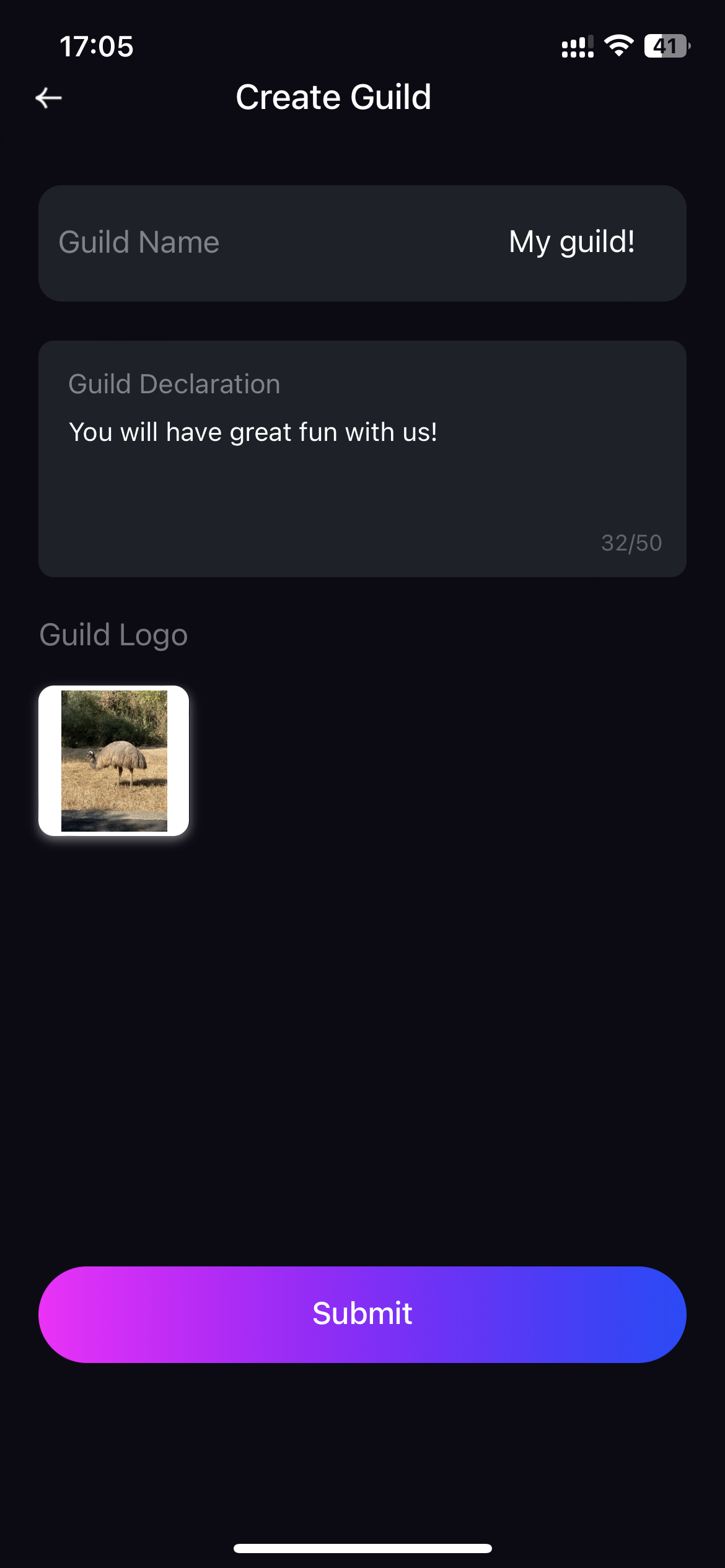
Tap `Create Guild` button and fill in all the blanks and don't forget to agree the agreement. Please wait for the approval after tapping the `Submit` button.

<div align="left"><figure><img src="https://1735634107-files.gitbook.io/~/files/v0/b/gitbook-x-prod.appspot.com/o/spaces%2FkOu46UVg4r9cxWHTccLA%2Fuploads%2FinPMBqWY1f5Jg6VhlHej%2F12081706951773_.pic_hd.png?alt=media&#x26;token=fdbe184f-4fbc-42fc-9e6d-2562fa8fec89" alt="" width="188"><figcaption></figcaption></figure></div>

<div align="left"><figure><img src="https://1735634107-files.gitbook.io/~/files/v0/b/gitbook-x-prod.appspot.com/o/spaces%2FkOu46UVg4r9cxWHTccLA%2Fuploads%2FFQsklpCATN3Sp0Ylv0a5%2F12091706951774_.pic.jpg?alt=media&#x26;token=7f6bcf4e-b311-40a0-a849-093810ba1563" alt="" width="188"><figcaption></figcaption></figure></div>

### Step 3

You'll receive a chat message of `VoPa Activity Announcements` in `Chats` tab. Please follow `Step 1` to go to `My Guild` page. Also, fill in all the blanks and tap `Submit` button, then wait for our  approval

<div align="left"><figure><img src="https://1735634107-files.gitbook.io/~/files/v0/b/gitbook-x-prod.appspot.com/o/spaces%2FkOu46UVg4r9cxWHTccLA%2Fuploads%2FVdE5tFICSybaHQPCorVg%2F12101706951774_.pic.png?alt=media&#x26;token=4c29508a-1416-44d7-b1ba-b72234add6ee" alt="" width="188"><figcaption></figcaption></figure></div>

<div align="left"><figure><img src="https://1735634107-files.gitbook.io/~/files/v0/b/gitbook-x-prod.appspot.com/o/spaces%2FkOu46UVg4r9cxWHTccLA%2Fuploads%2FFhmicK5VF65twaGxWKCl%2F12111706951775_.pic.jpg?alt=media&#x26;token=8ccc7290-af90-461f-bb20-7cba262df4f9" alt="" width="188"><figcaption></figcaption></figure></div>

### Step 4

You'll receive a new chat message if the approval is passed. You can manage your guild information, guild members, guild income, etc., according to Step 1.

<div align="left"><figure><img src="https://1735634107-files.gitbook.io/~/files/v0/b/gitbook-x-prod.appspot.com/o/spaces%2FkOu46UVg4r9cxWHTccLA%2Fuploads%2FOCjsL51krIQ8TU1VxFn3%2F12121706951775_.pic.jpg?alt=media&#x26;token=c64c7d95-4106-4a0d-9c98-19dafef4e0e8" alt="" width="188"><figcaption></figcaption></figure></div>